
Revamped Black Diamond Client Portal
January 13, 2026

Hello everyone and Happy New Year! We have some exciting news! The Black Diamond Client Portal has been upgraded and revamped! The new portal includes many new features. This post highlights these new features.
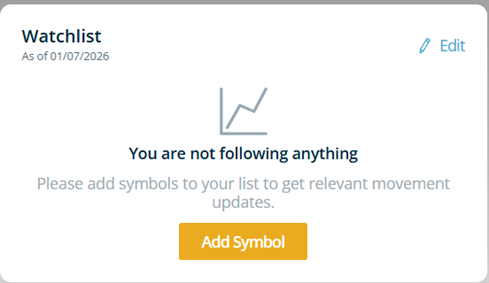
The old portal included a basic home page and vault. The new portal includes new layout colors and our updated Allied logo. On the home page we have added a Watchlist on the left side of the screen where you can add securities that you would like to track. We have also changed the layout so the top holdings section is on the left side of the home page where it is easily visible.
Another addition to the revamped portal is the Portfolio tab. The best place to navigate the portfolio tab is the dashboard which offers an overview of the different sections that you can click for more detail. The different sections within the dashboard are activity summary, performance, allocation, allocation vs target, fixed income, gain/loss, projected income, and transactions. You can switch the date ranges to since inception, year to date, and quarter to date by clicking on the calendar icon on the top right of the dashboard. You can also filter the accounts that you want to view by clicking on the filter icon at the top left of the dashboard. The portfolio tab offers a lot of detail and is a valuable addition to the Black Diamond Portal.

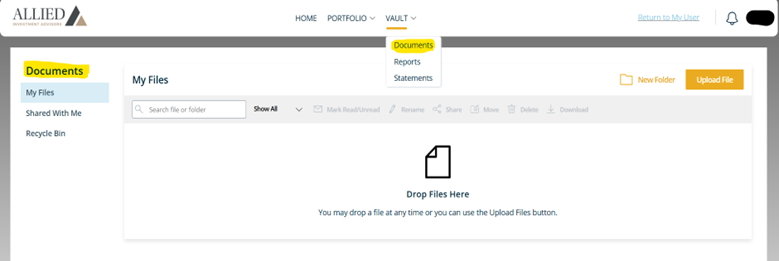
We also added the documents tab in the vault. The documents tab gives you a place to securely store documents and share documents with the Allied team. The vault will remain a place where your quarterly reports are uploaded under the reports tab in the vault.
We are very excited about the revamped Black Diamond Client Portal. If you have any questions or need a link sent to get signed up for the portal, please let us know. You can send an email to [email protected] for the link or if you would like to call, our office number is 406-839-2037. We are always happy to help. Thank you so much!
Sincerely,
The Allied Team